
Your week, on one desk.
Prep, sheets, papers and teaching, in one app built around the students you teach. It works on its own, and each student’s study app is there when you want it.
Every sheet, made for the student in front of you.
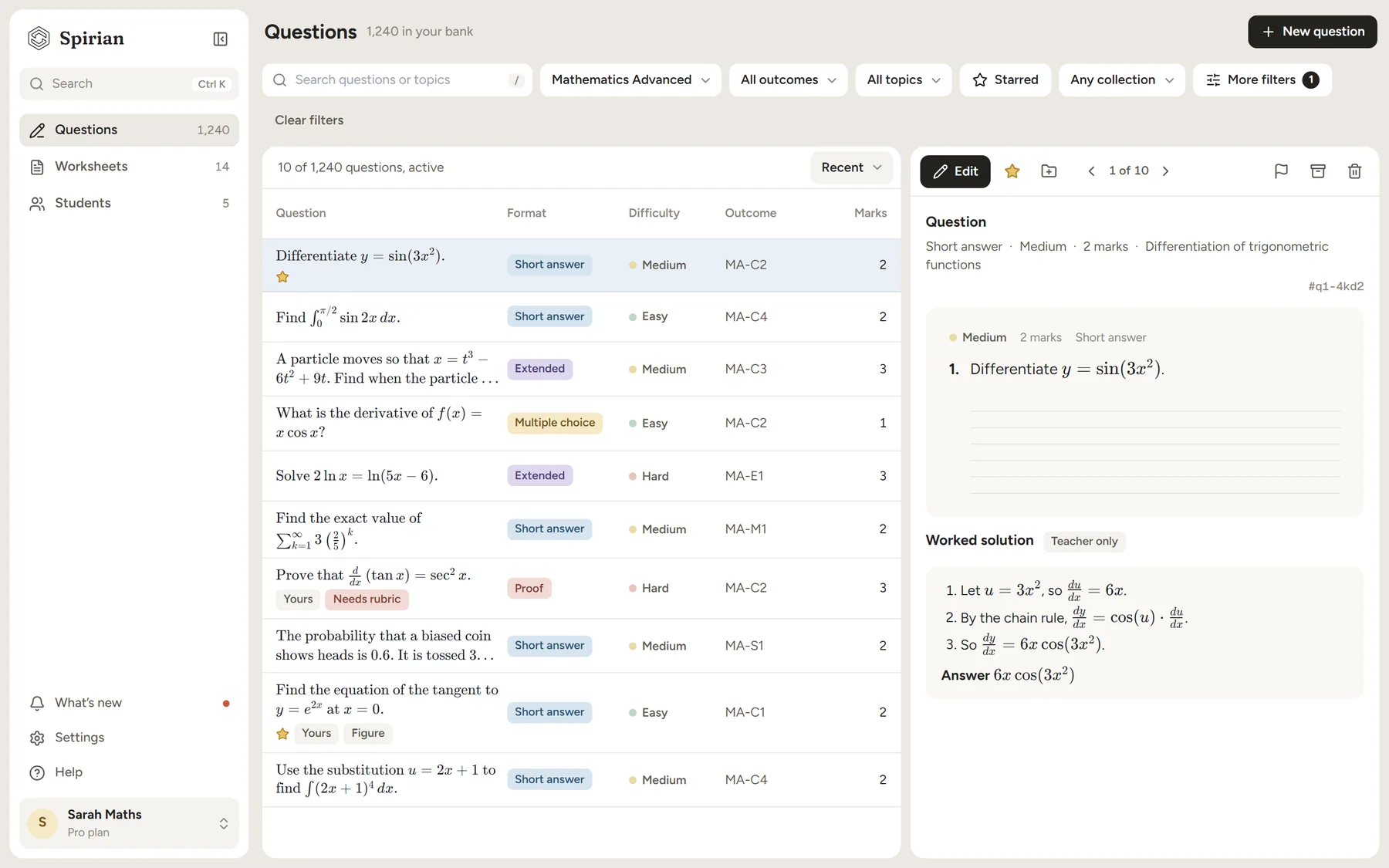
Plan it, generate it, then change anything. Every question comes with a worked solution, a marking guide and an answer key.
Plan it, then make it.
- Choose outcomes, topics, format and difficulty
- See every question before anything is made
- What they got wrong last time comes back
One lesson. Everything around it.
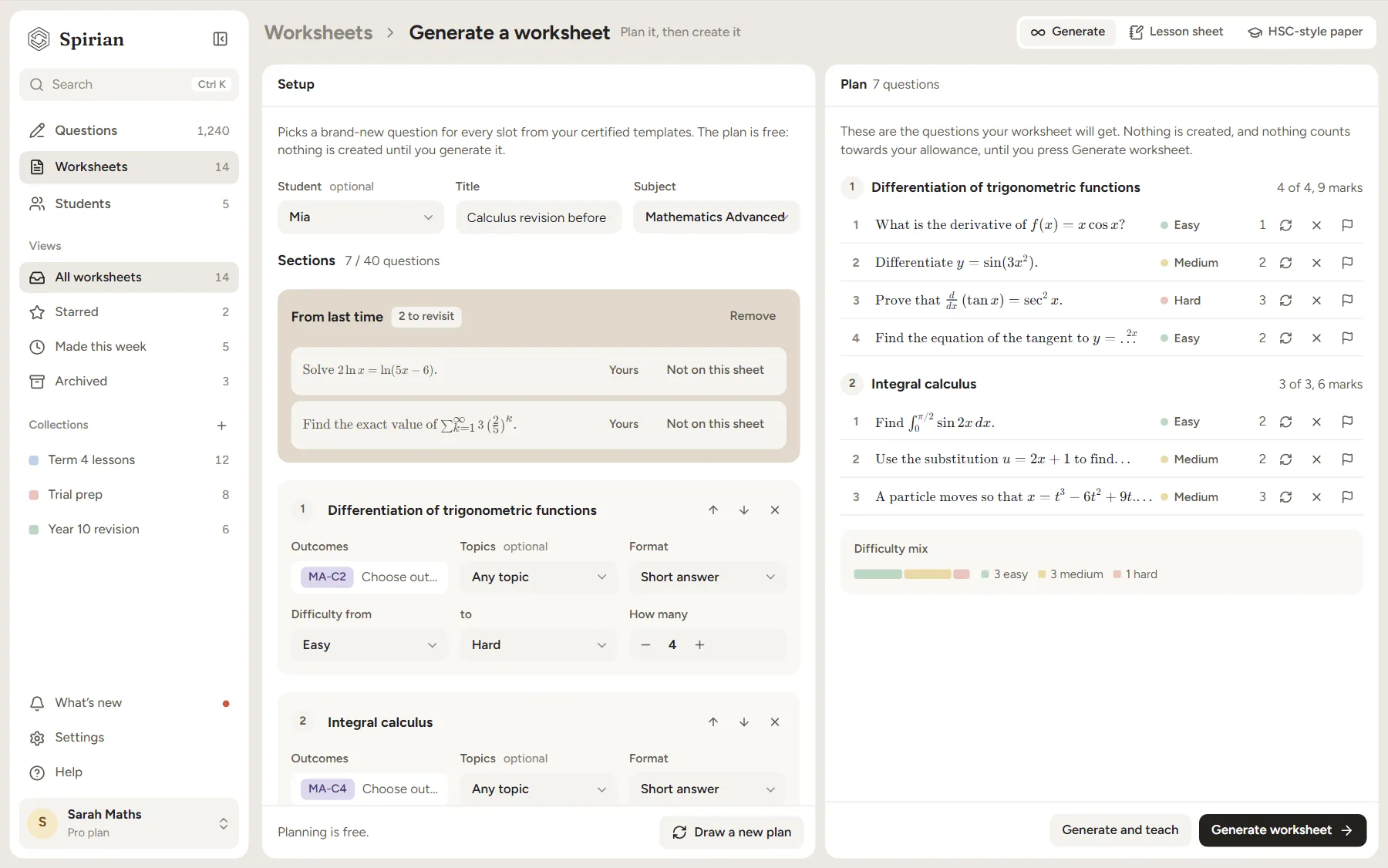
Walk in knowing what to teach.
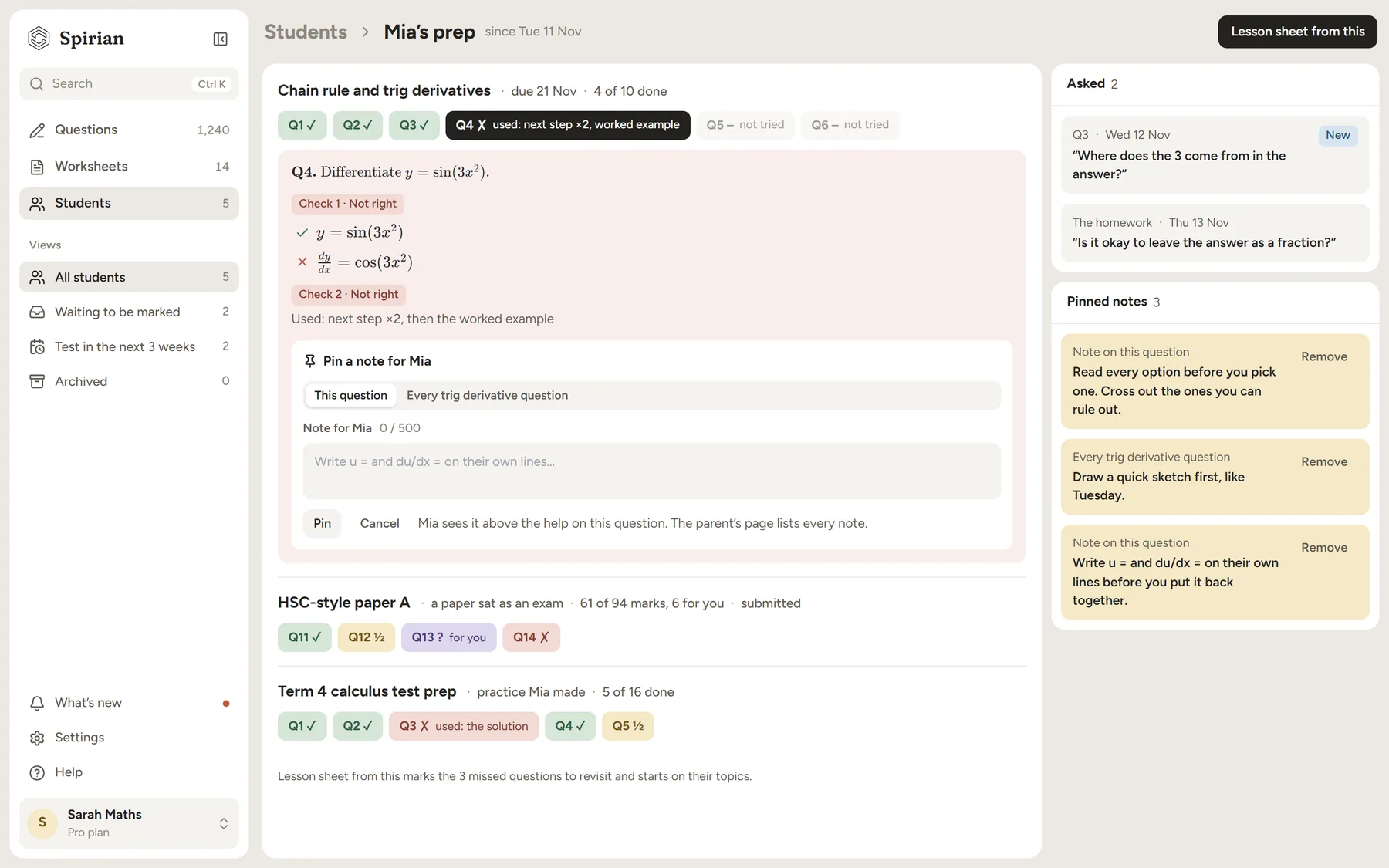
- What each student did since your last lesson, question by question
- Where they got stuck, the help they used, and what they asked you
- Pin a note to a question, or a type of question; they see it there
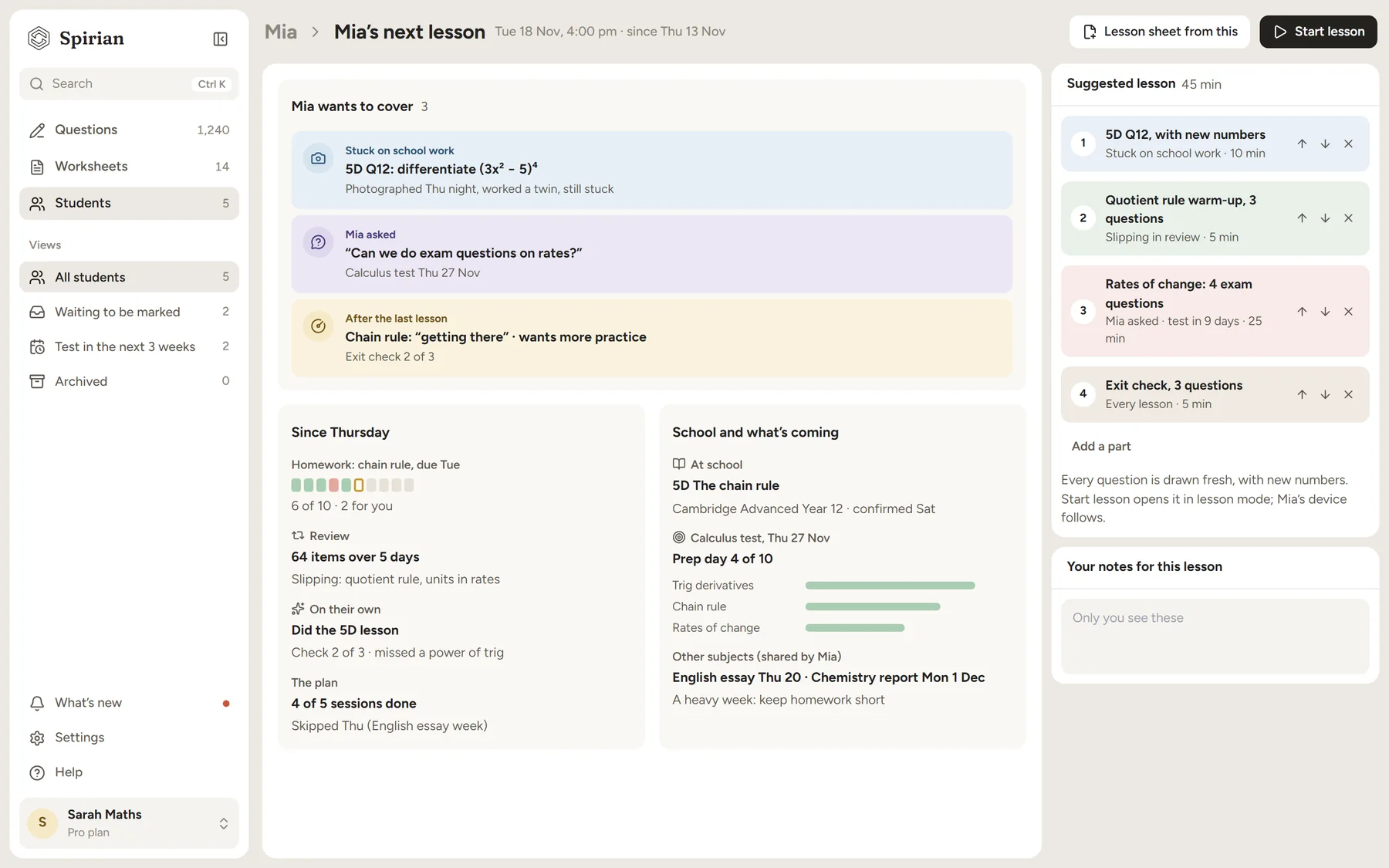
The next lesson, already drafted.
- Drafted from what they got wrong this week
- A worked solution for every question
- Change anything, reroll anything, then teach
Teach from the screen.
- One question at a time, with the working a step at a time
- Attach a student: their device follows, and the lesson ends in a recap
- Set homework from the lesson in one tap, before they leave
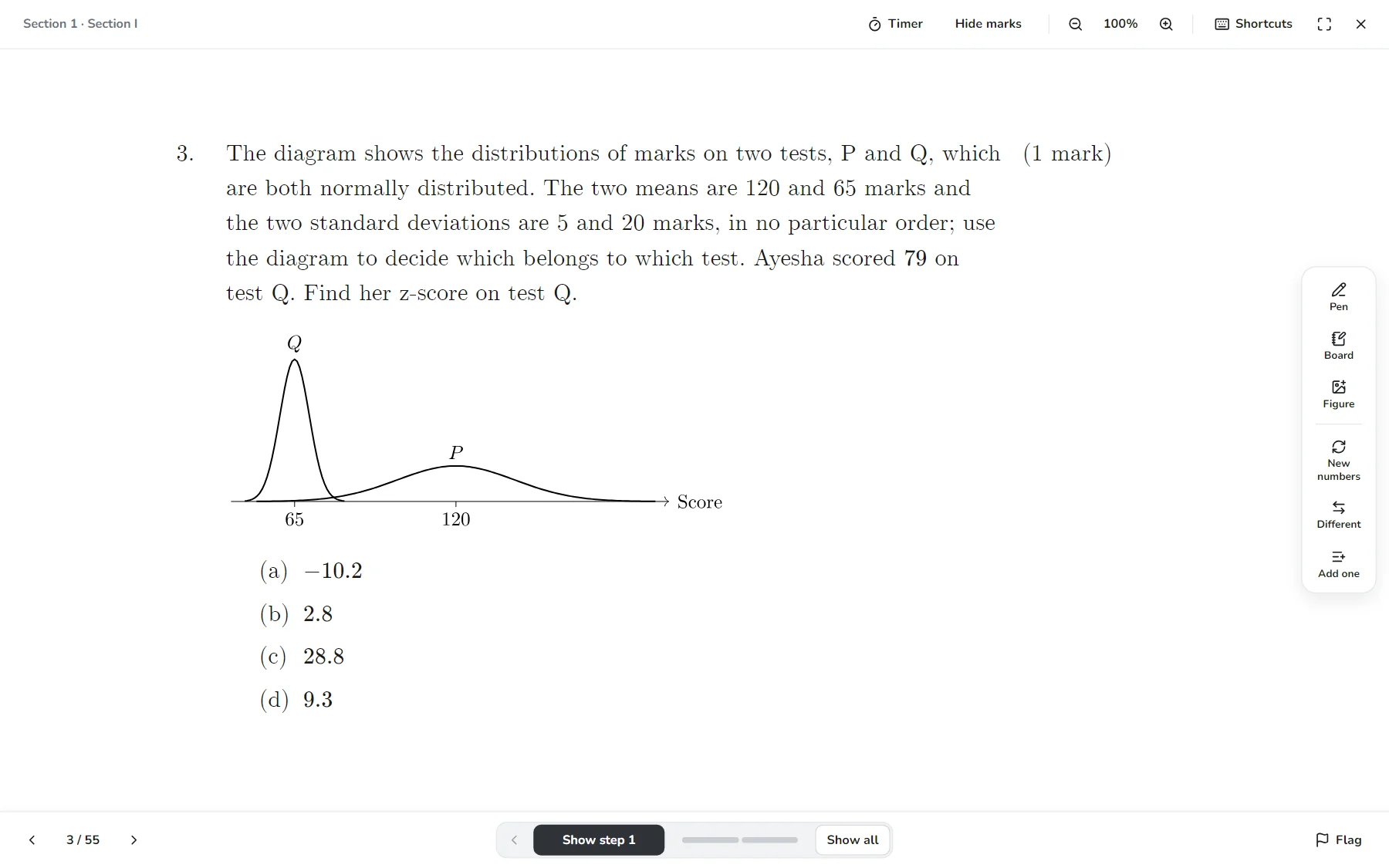
Marked, without you marking it.
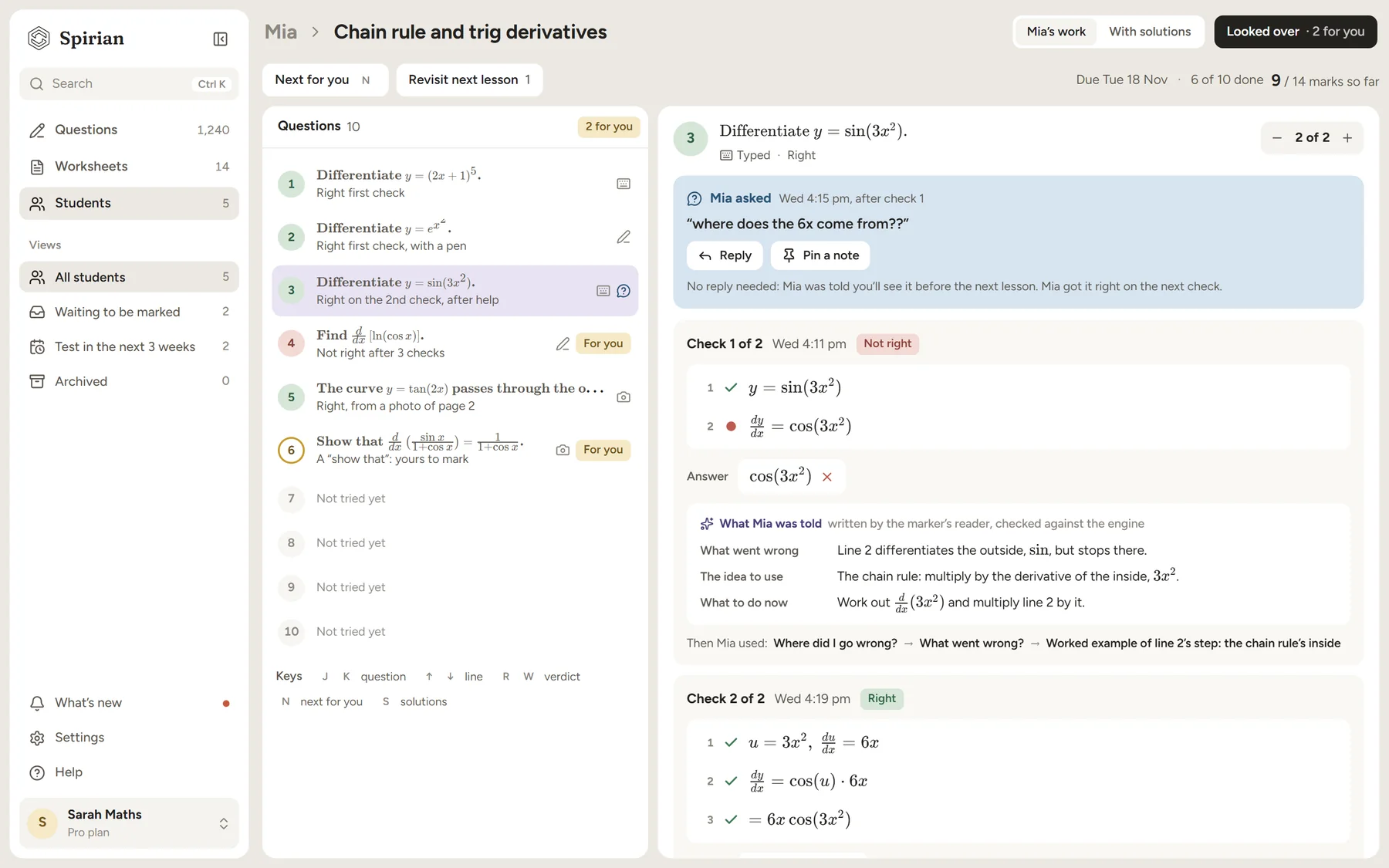
- Answers and working checked as they go, the way you choose
- See what they were told at each step, and change any mark
- Questions they ask wait for your next lesson, so there's no replying at midnight
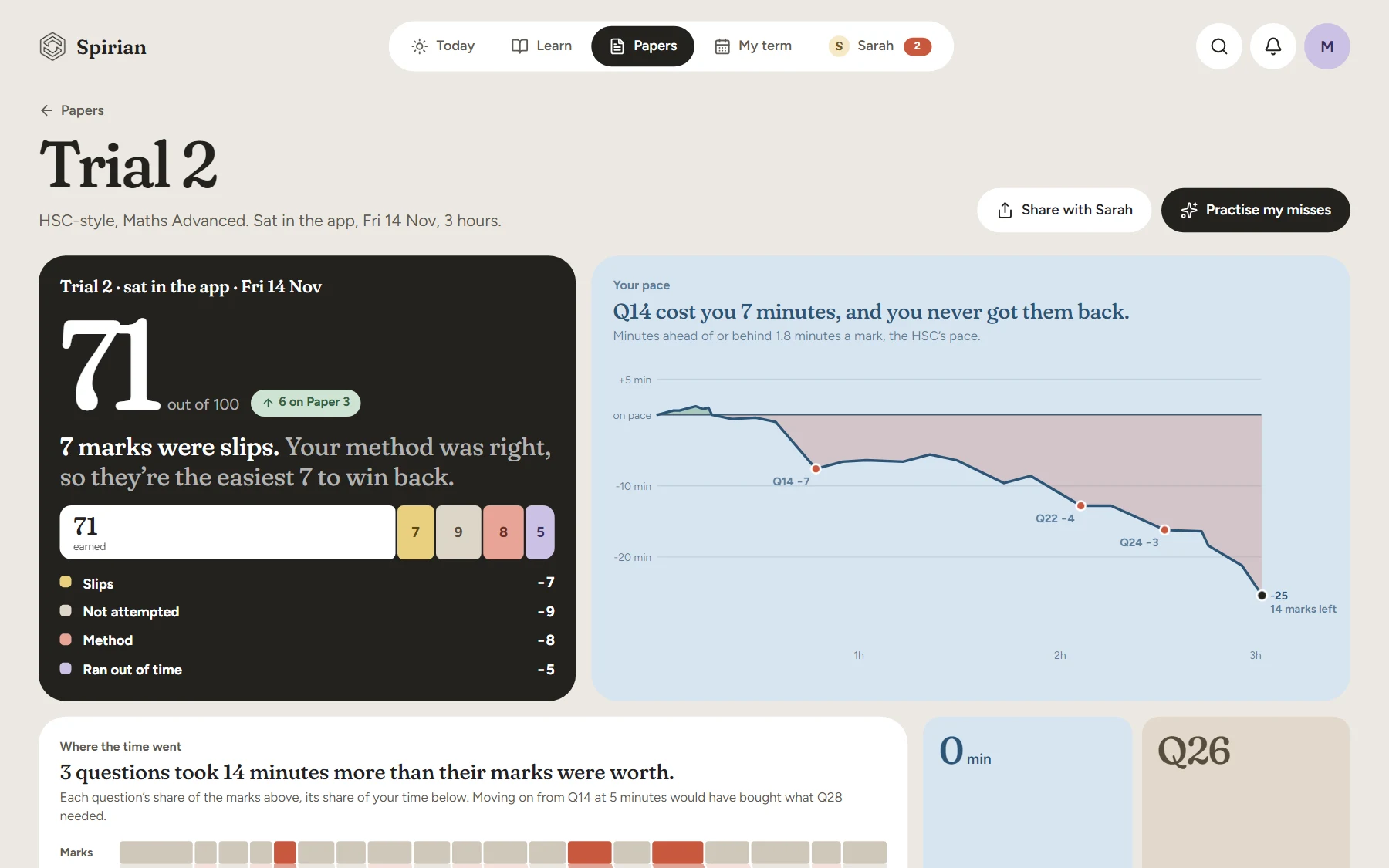
Every paper, explained.
- Their pace, and where the time went
- How each mark was lost: slips apart from method
- What wins the marks back, ready to set
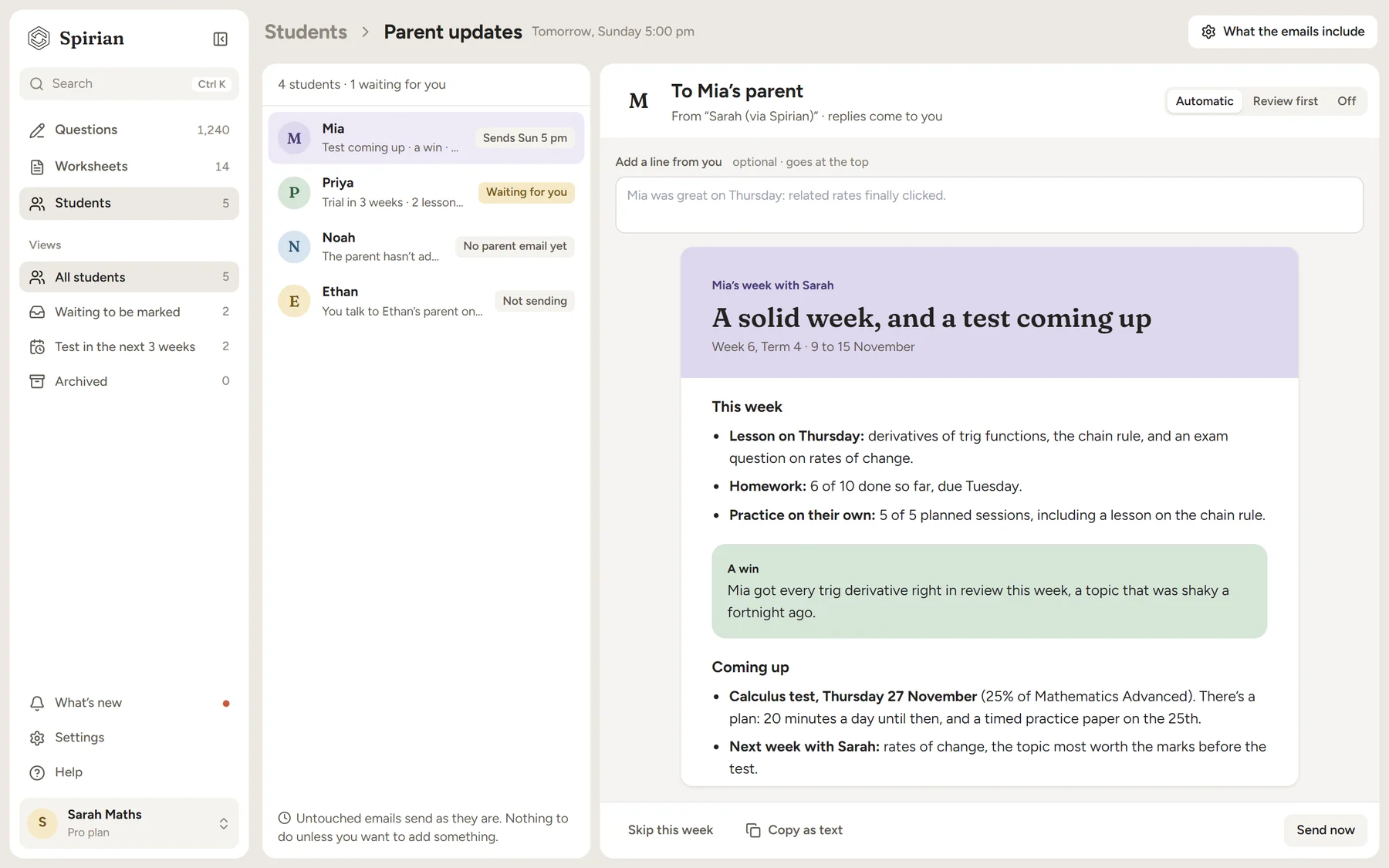
Parents see your work, every week.
- A weekly email to each parent, sent in your name
- Add a line, skip a week, or let it send
- Term reports drafted from the term on Pro and Studio; you write one paragraph
You control the marking.
Choose how much Spirian marks, and when your students see it. Every mark is there for you to check and change.
Nothing is marked for you. Their work waits for you to mark it.
Our maths engine checks every final answer and most lines of working. No AI decides a mark.
The engine, then AI reads the rest of the working and shows where it went wrong.
- Students see marks straight away, when Spirian is sure, or after you’ve looked
- Anything Spirian isn’t sure of is flagged for you
- Change any mark
HSC-style questions that never run out.
Every question is drawn from a template. Reroll it and you get new numbers, with the worked solution and marking guide rewritten to match.
- Reroll until it’s right for your student
- A different version for each student, so no one copies
- Sheets and HSC-style papers to print, save as a PDF, or send to their pass
- Worked solutions, a marking guide and an answer key, every time
- Every answer checked by a computer algebra system
Find the equation of the tangent to at .
- At , the gradient is and
The rest of your week.
Who has work to look over, and who has a school test in the next three weeks.
From a diagnostic to a final timed paper, built to each student's next school test.
A fresh paper whenever you need one, marked question by question once they sit it.
Updates and reports go out from you. On Studio, your own name on printed sheets too.
A diagnostic as homework, then every topic on one grid to go over in your first lesson. A fair re-sit, on new questions, at the end of term.
Who needs you this week, and why: a test soon, your homework behind, stuck on one step. Never time in the app.
What they keep getting wrong, with their own line and the fix, clearing as they get it right.
Before a test, your students bring classmates to prep with them, and their parents see your offer.
The tutor app runs in your browser, on a computer or a tablet.
And what your students get: the student pass.
What tutors said after teaching with it.
15 maths tutors in Sydney tried our lesson-prep tools during our pilot.
50 founding spots. Set up by us.
Join the waitlist to secure one of the first 50 spots. Leo and Jin, the founders, set each of those tutors up personally.
Questions about the tutor app
When can I start?
Spirian opens on Monday 25 January 2027. Join the waitlist now: the first 50 tutors on it are set up personally by Leo and Jin, the founders.
Can I use it without giving my students the app?
Yes. The tutor app works on its own: sheets, papers, prep and teaching. Add a pass for a student when you're comfortable with it. The free plan includes one.
Does AI mark my students' work?
Only if you choose it. Marking can be off, engine only (our maths engine checks answers and working, and no AI decides a mark) or full (the engine, then AI for the rest). You choose when students see their marks, and you can change any mark.
What do I need?
A computer or tablet with a web browser. Your students use their own phone, tablet or computer.
Which courses does it cover?
NSW Mathematics, Years 7 to 12, Standard to Extension 2.
Can I still print?
Yes. Every sheet and paper prints or saves as a PDF, with worked solutions, a marking guide and an answer key.
Is AI writing the questions?
Every question is drawn from a template whose working is checked by a computer algebra system and reviewed by a person. No AI runs when a question is drawn.
How much does it cost?
Free for one student, forever, with no card. Then a plan by how many students you teach: five, ten or twenty.
Make one lesson last all week.
Spirian opens on Monday 25 January 2027. Join the waitlist to secure one of the first 50 spots.